photo-privacy
What Is EXIF Data in Photos, and Why Should You Care?
EXIF data is useful photo context until it travels somewhere it does not belong. Here is the practical version, without the jargon.
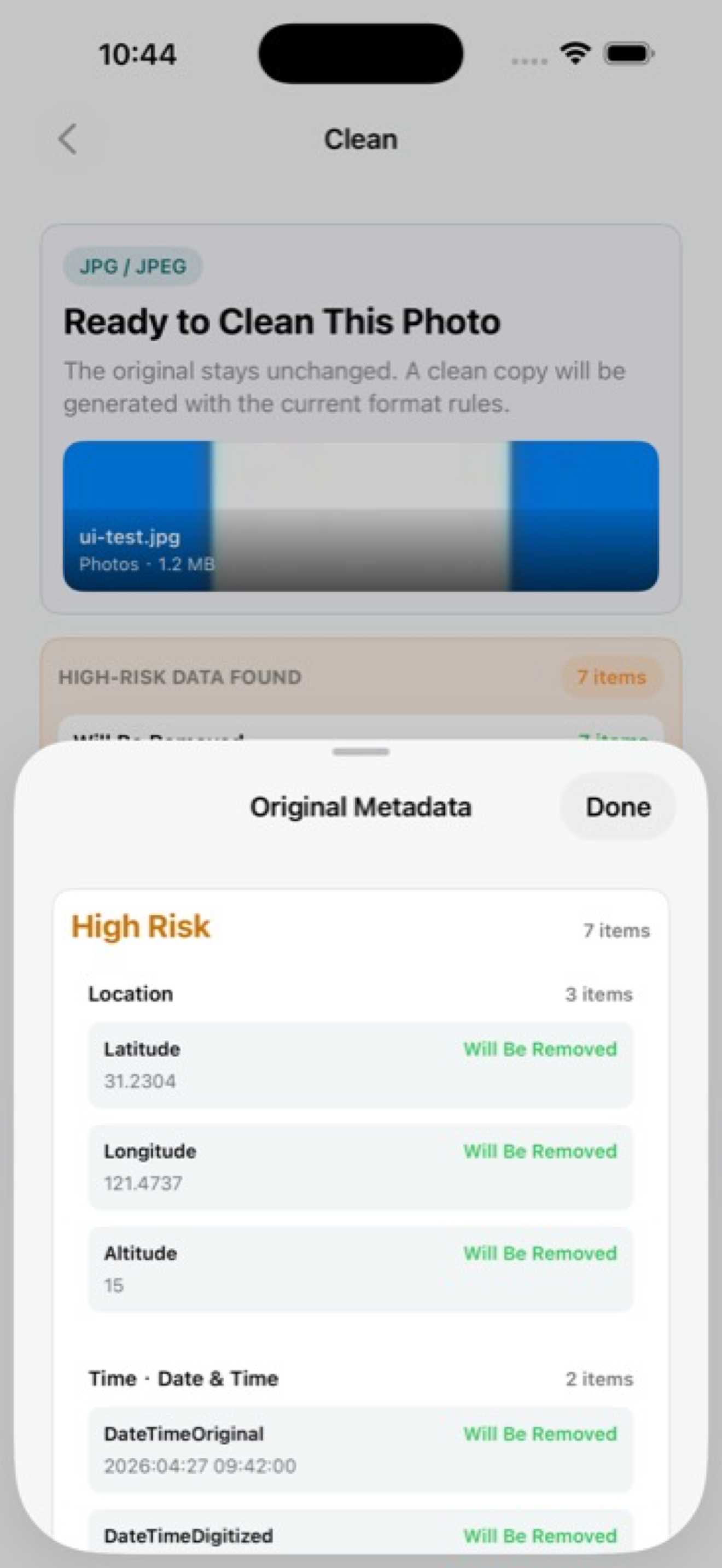
EXIF is the photo's technical receipt
EXIF data is a common kind of photo metadata. Think of it as the photo's technical receipt: how it was captured, when it was captured, what device created it, which software touched it, and sometimes where it was taken.
That information can be useful. Photo apps use metadata for sorting, search, rotation, memories, editing, and troubleshooting. The privacy issue appears when the same original file is shared with people who do not need that context.
What can be inside a photo file
The exact fields vary by format, app, settings, and editing path. A photo may include GPS coordinates, date and time, phone or camera model, orientation, lens and exposure information, software names, thumbnails, or source fields from an export workflow.
None of that is automatically dangerous. The question is whether the next person or platform needs it. A buyer usually needs to see the condition of a used item. They do not need a file that points back to your driveway.
- GPS fields can reveal where a photo was taken.
- Date and time fields can reveal when it was taken.
- Device and software fields can reveal how the file was made.
- Source fields can reveal parts of an editing or export workflow.
When to remove EXIF data
You do not need to strip every image you keep for yourself. Metadata is useful in a private library. Removal makes more sense when the file is leaving your control: public posts, marketplace listings, anonymous tips, client delivery, creator uploads, and broad group chats.
The balanced habit is inspection first. If the hidden context is useful only to you, keep it in the original and share a cleaner copy.
How Exif Pic Gone fits
Exif Pic Gone is for people who want a simple iPhone workflow rather than a forensic tool. It shows hidden metadata fields in supported image formats, creates a cleaned copy, and lets you save, export, or share that copy from iOS.
That workflow keeps the decision readable: inspect the original, create the sharing version, then send the version meant to travel.
What EXIF data does not tell you
EXIF data is only one layer of photo context. It does not tell you whether the visible image includes a badge, street sign, private document, child, address, reflection, or client detail. A clean metadata report does not make a visibly sensitive photo safe to post.
It also does not prove that every copy of the image is clean. If you export, edit, save to another app, or upload through a platform, the file can change again. The safest check is always on the version you intend to share.
Why the language gets confusing
People often use EXIF, metadata, GPS data, and image information as if they mean the same thing. In everyday privacy work, the distinction is less important than the habit: look at the hidden fields, decide what is useful, and remove what the recipient does not need.
For iPhone users, that usually means paying closest attention to location, date, device, software, and source fields before a file is posted or delivered.
Exif Pic Gone
Inspect metadata, then share a clean copy.
Exif Pic Gone helps you inspect and remove photo metadata on your iPhone, create a clean copy, and share that copy without uploading the image to a web tool.
FAQ
Is EXIF data always bad?
No. EXIF data is often useful for organizing, editing, and understanding photos. It becomes a privacy concern when unnecessary details are shared with other people or posted publicly.
Is GPS data part of EXIF?
GPS information can be stored in photo metadata, including EXIF-style metadata. It is one of the most important fields to check before public sharing.
Do PNG files have EXIF data?
PNG metadata works differently from JPEG or HEIC metadata, but PNG files can still contain metadata. iPhone users should not assume a PNG is automatically metadata-free.
What is the simplest habit to build?
Inspect the original, create a clean copy, and share that clean copy when the destination does not need hidden photo metadata.
