photo-privacy
How to Remove Photo Metadata Before Sharing Pictures Online
A direct workflow for checking visible clues and hidden photo metadata before a picture leaves your phone.
Start with the file, not just the picture
Most people check the crop, caption, and faces before posting a picture. The file itself deserves the same attention. A photo can carry GPS location, capture time, device model, camera settings, editing software, and source fields that are invisible in the image preview.
For a private text thread, that may not matter. For a public marketplace listing, portfolio, forum post, dating profile, client delivery, or press tip, the original file can reveal more context than the viewer needs.
Use a two-minute pre-share check
The useful habit is simple: visible review first, metadata review second, clean copy third. This keeps the process fast enough for everyday sharing while still catching the most common privacy leaks.
Start with location. GPS coordinates can point to a home, workplace, school, or routine stop. Then check capture time, device, camera, software, and source fields. Those fields are not always sensitive, but they are rarely needed by strangers.
- Scan the image for addresses, faces, license plates, screens, papers, and reflections.
- Inspect the original file for GPS, time, device, camera, software, and source fields.
- Decide whether the destination needs that context.
- Create and share a clean copy when the answer is no.
Keep the original, share the copy
A clean-copy workflow is easier to trust than editing the original. You keep the full image in your library for your own archive, then create a separate file for public or low-trust sharing.
That separation matters later. If you need the original date, place, or technical context for your records, it is still there. If you need to upload a safer version, you know which file was prepared for sharing.
Where Exif Pic Gone fits
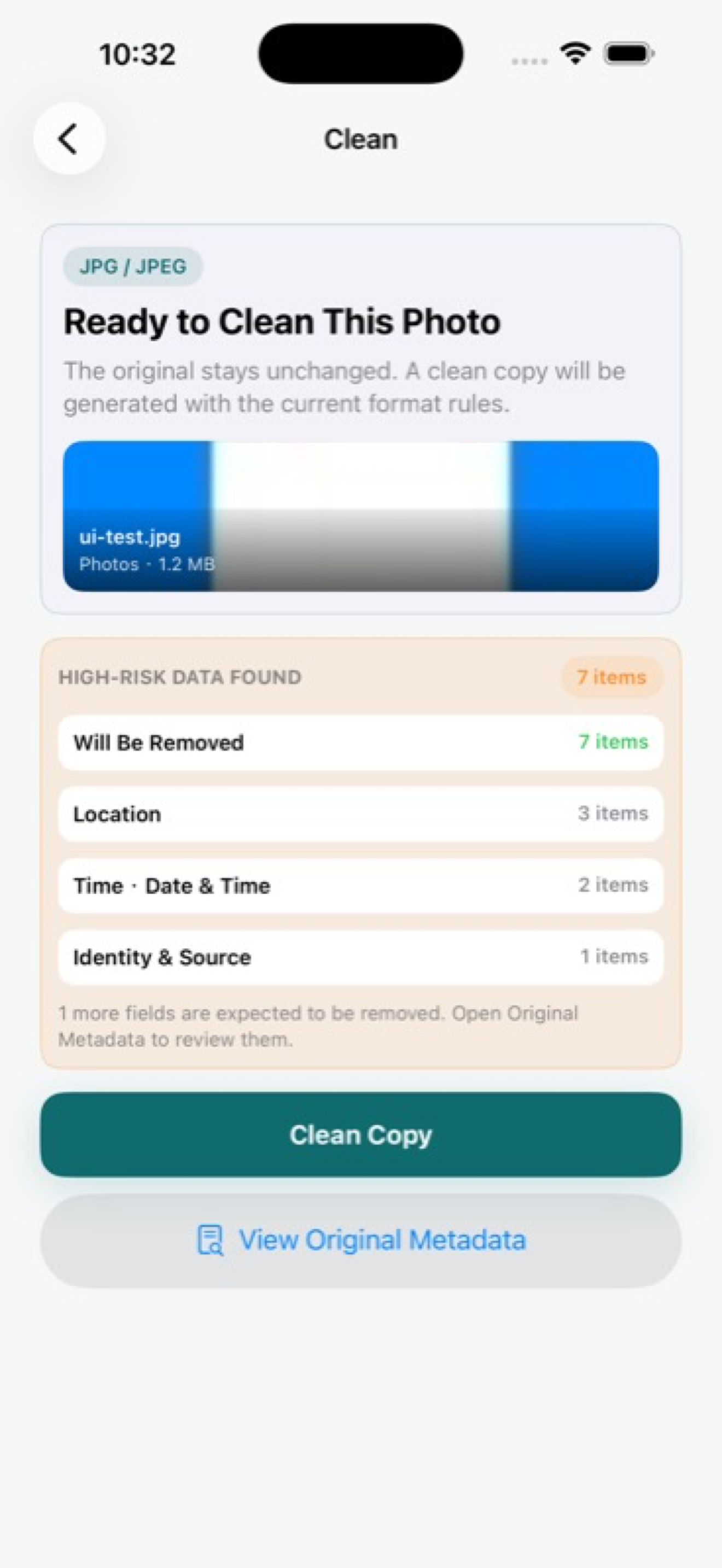
Exif Pic Gone is built for this iPhone workflow. It lets you inspect metadata in a supported image, create a cleaned copy locally, then save, export, or share that copy through iOS.
The important privacy choice is made before upload: you are not sending the original photo to a random web cleaner just to remove hidden fields.
Common mistakes to avoid
Do not assume a messaging app, social platform, or website will remove everything for you. Some services process images aggressively, but behavior can vary by upload path, file type, region, and product change. A privacy habit that depends on another company doing the right thing is fragile.
Do not assume screenshots are automatically safe either. They may reduce some camera metadata, but they can still include visible private details, software information, or source context depending on how they were created and exported.
- Do not send the original when a clean copy would do.
- Do not rely on cropping as a metadata-removal method.
- Do not forget visible clues such as signs, labels, reflections, and screens.
- Do not keep multiple exported versions without a clear naming or sharing habit.
A practical rule of thumb
If the image is public, searchable, commercial, source-sensitive, or likely to be forwarded, clean the metadata before sharing. If the image is staying in a trusted private archive, keeping metadata can be useful.
That rule keeps the workflow realistic. The goal is not paranoia. It is control over which version of a photo leaves your device.
Exif Pic Gone
Inspect metadata, then share a clean copy.
Exif Pic Gone helps you inspect and remove photo metadata on your iPhone, create a clean copy, and share that copy without uploading the image to a web tool.
FAQ
Does cropping a photo remove metadata?
Not reliably. Cropping changes the visible image, but metadata behavior depends on the app and export path. Inspect the final file before sharing.
What metadata should I worry about first?
Location data is usually the first concern. Capture time, device, camera, software, and source fields can also matter for public posts, listings, tips, or client work.
Should I keep the original photo?
Usually yes. Keep the original for your archive, then share a clean copy when you do not want hidden metadata to travel with the image.
Can I remove metadata without using a website?
Yes. Exif Pic Gone handles supported iPhone image metadata cleaning locally and does not require uploading the image to a web tool.
