ios-tools
How to Stop Doomscrolling at Night on iPhone Without Deleting Social Media
Make late-night feeds harder to reopen with a clear overnight boundary while keeping the apps available during the day.
Set a realistic bedtime boundary
The first step is not to promise that you will never scroll again. Decide when the feed should stop being the easiest next action and when it should return in the morning. A boundary from 10:45 p.m. to 7:00 a.m. may be more useful than a vague instruction to use the phone less.
Keep the rule aligned with real life. If you need an alarm, transit app, or a message from a specific person, do not block those tools casually. The goal is to remove the most automatic path into a feed while preserving the basic functions you need overnight.
Reduce prompts before the schedule
Use Focus to silence social notifications and make the lock screen less persuasive. Remove unnecessary badges and choose a small allowed set for urgent contacts or utilities. This changes the number of invitations you receive before the access boundary even matters.
Notification settings cannot stop a deliberate app opening. Pair the quieter environment with Screen Time or an authorized recurring shield for the selected social apps. The combination treats the prompt and the access path as separate parts of the same loop.
Select feeds, not your whole phone
Choose the apps that carry the late-night feed: perhaps one video app, one social network, or a news feed that tends to expand. Leave reading, music, alarms, and family communication available if they support the bedtime routine. The FamilyActivityPicker lets you approve individual apps or categories without exposing their content.
A narrow selection also makes daytime availability clear. You can return to the same apps after the recurring window ends, so the boundary changes the timing rather than turning the apps into forbidden objects.
Use an overnight Recurring rule
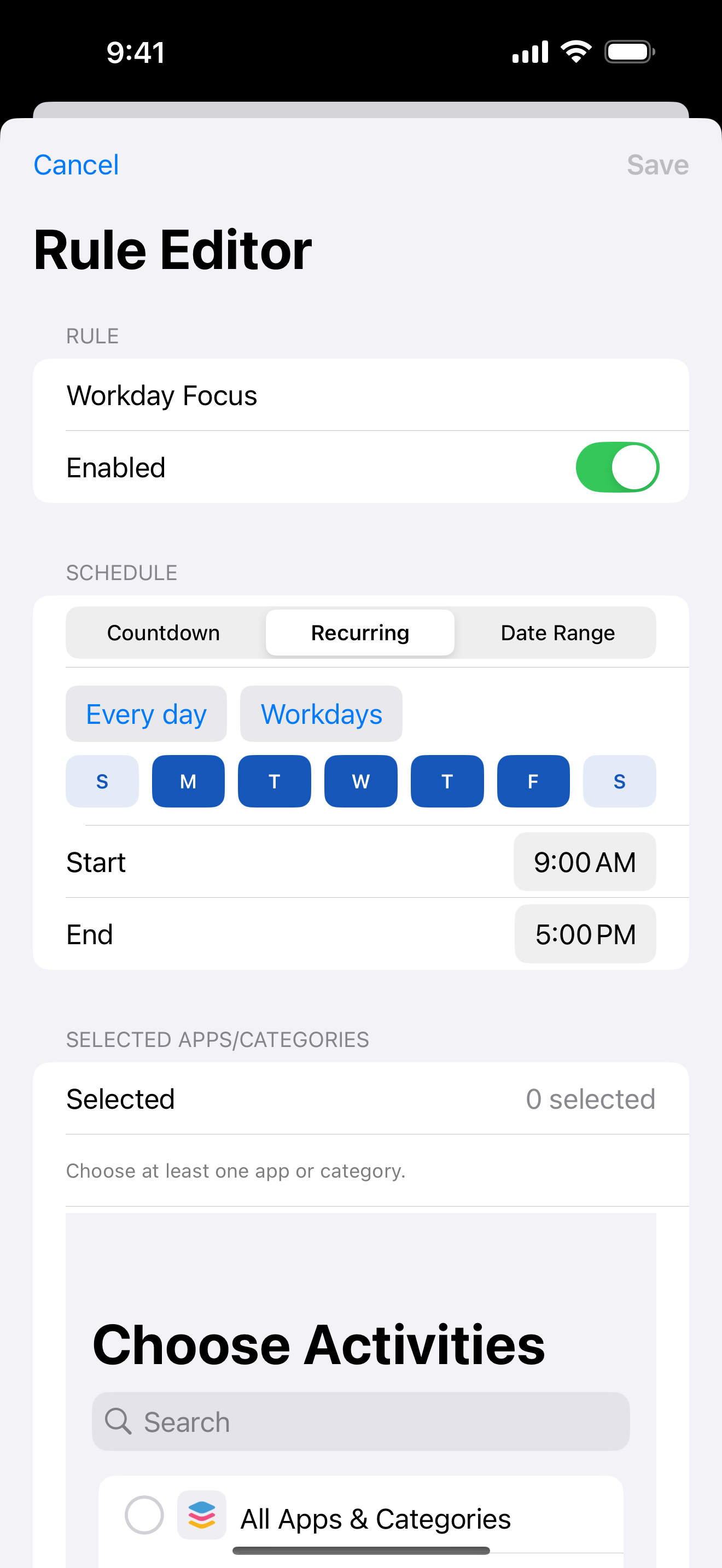
Enough for Now's Recurring mode fits a bedtime pattern, including windows that cross midnight. Set the start and morning end, select the social apps, and review the active rule from home. The rule should describe the overnight routine, not a lasting judgment about the apps.
If the schedule does not match a particular night, use Quick Lock or Countdown for a shorter pause instead of editing the recurring routine impulsively. Eligible recurring rules can have 1, 7, or 30-day edit protection, which adds time before a change while leaving iOS and device-owner control intact.
Treat habit support as a small experiment
Sleep guidance generally emphasizes a consistent wind-down, a dark and quiet environment, and fewer stimulating activities near bedtime. Studies of evening device use and bedtime phone behavior are associations or controlled observations, not proof that one app rule will change every person's sleep. Use the boundary as a small experiment in your own routine.
Review whether the first opening was delayed, whether notifications were quieter, and whether the morning end felt reasonable. If Screen Time permission is revoked, blocking stops. Keep the language proportional: this is an access-friction tool, not a medical intervention or a promise about sleep.
Enough for Now
Make distracting apps harder to open on your schedule.
Enough for Now keeps temporary and scheduled app-blocking rules on your iPhone. Quick Lock covers a short pause, while Countdown, Recurring, and Date Range handle defined windows without deleting the apps. Support and launch notes are included in the references below.
FAQ
Can I keep social media installed overnight?
Yes. A Recurring rule can shield selected social apps overnight while leaving them installed and available after the morning end.
Should I block every app before bed?
Usually not. Start with the feeds that pull you into repeated checking and keep alarms, communication, and essential tools available.
Does this treat a sleep problem?
No. It is habit support that adds an access boundary. Sleep outcomes vary, and medical concerns belong with a qualified clinician.
What if the overnight rule crosses midnight?
Enough for Now supports recurring windows that cross midnight, so a late start and morning end can remain one rule.