Private by default
No account, backend, ads, third-party analytics, or data selling. Rules stay on your iPhone.
Quick Lock now, schedule recurring routines, or set a date range. Your rules stay on your iPhone.
Free core features · No subscription · iOS 17+

No account, backend, ads, third-party analytics, or data selling. Rules stay on your iPhone.
Quick Lock handles a short pause, while Countdown, Recurring, and Date Range cover planned routines.
Optional edit and uninstall protection adds friction, but iOS and device-owner controls always remain in charge.
A simple rhythm
Enough for Now is a local-first Screen Time app blocker for an iPhone. Set a quick pause, plan a routine, and keep the controls understandable.
Choose 30 minutes, 1 hour, 2 hours, or Tomorrow AM when you want a focused pause right now.
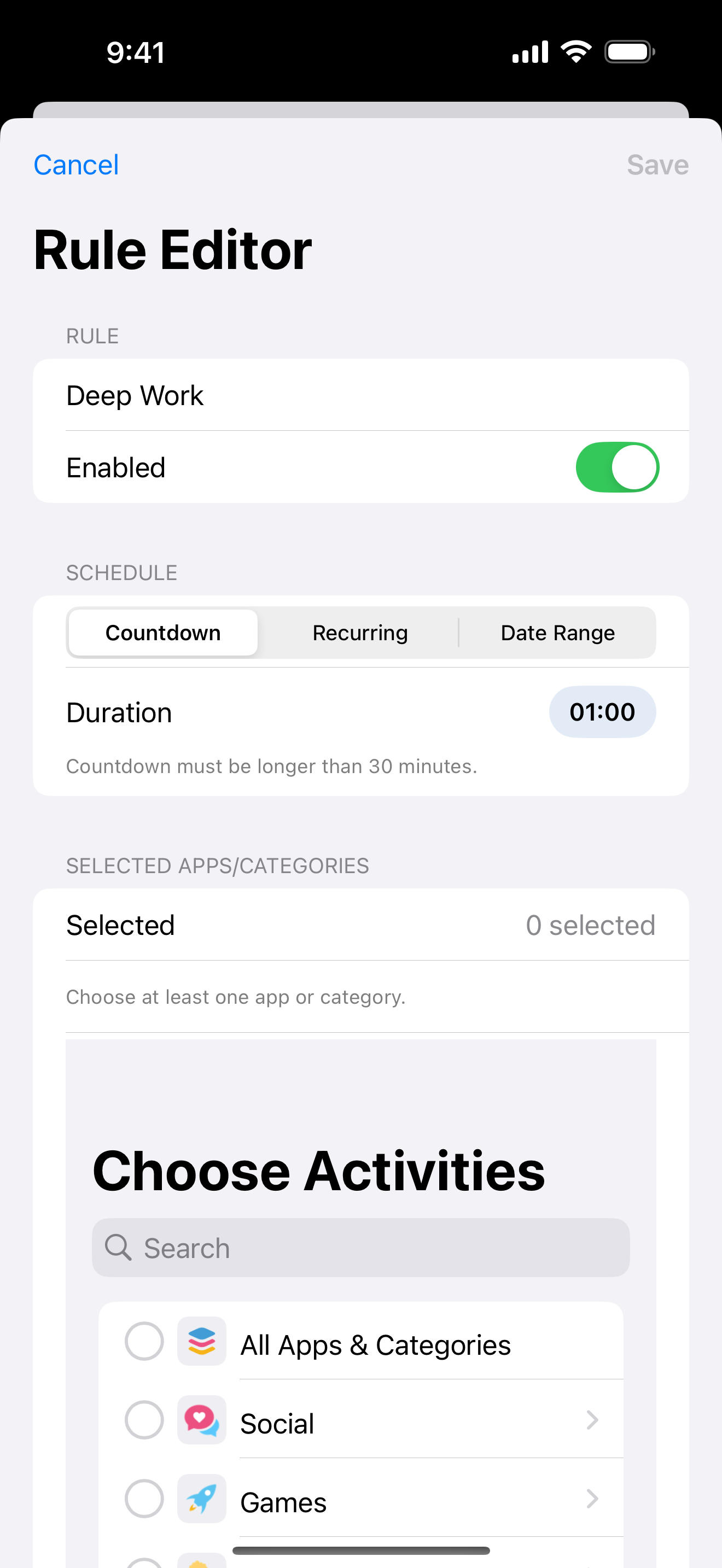
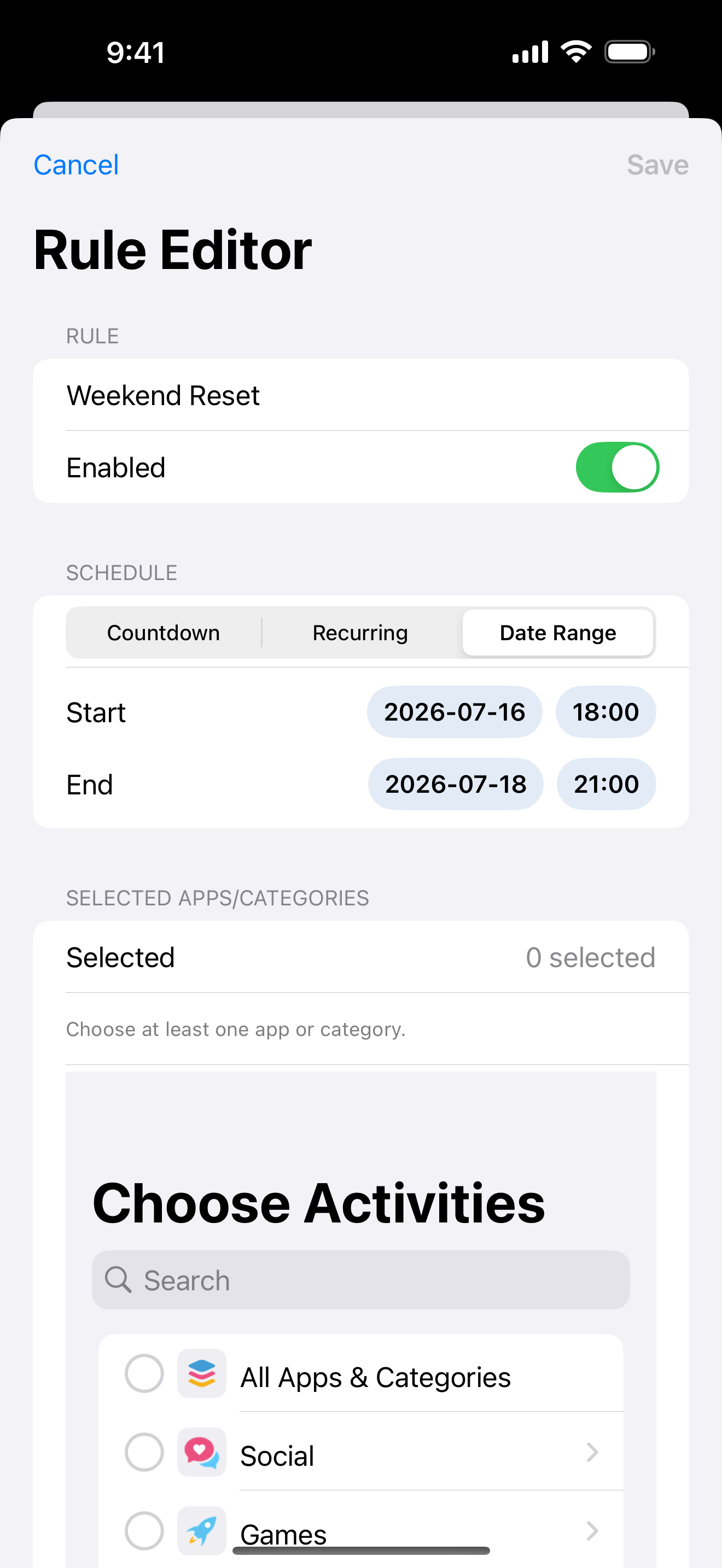
Use Countdown, Recurring, or Date Range for work blocks, study sessions, bedtime, or a defined stretch of days.
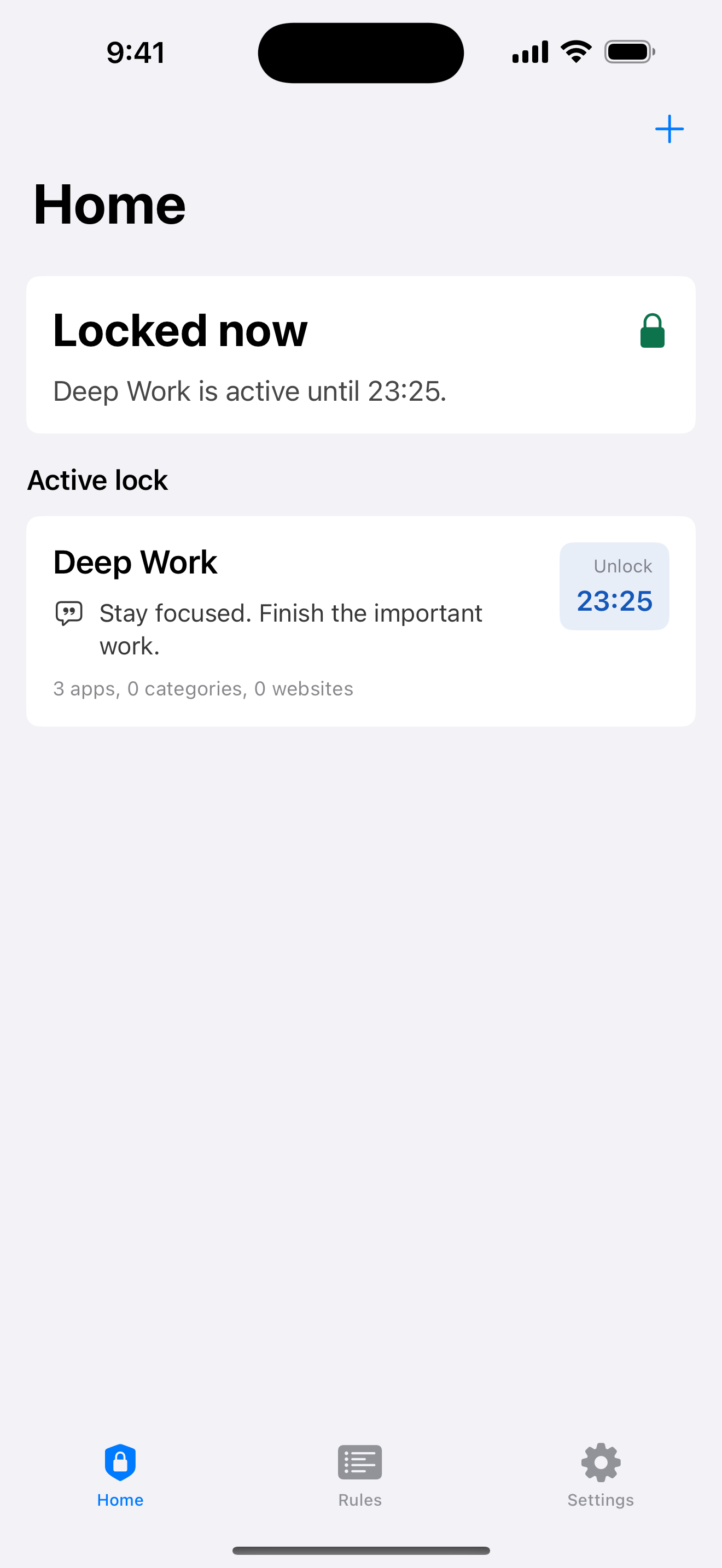
Home shows your current lock and unlock time, so the end of the active rule is always clear.
Three scheduling modes
Each mode answers a different planning question, without asking you to delete the app or hand over your data.
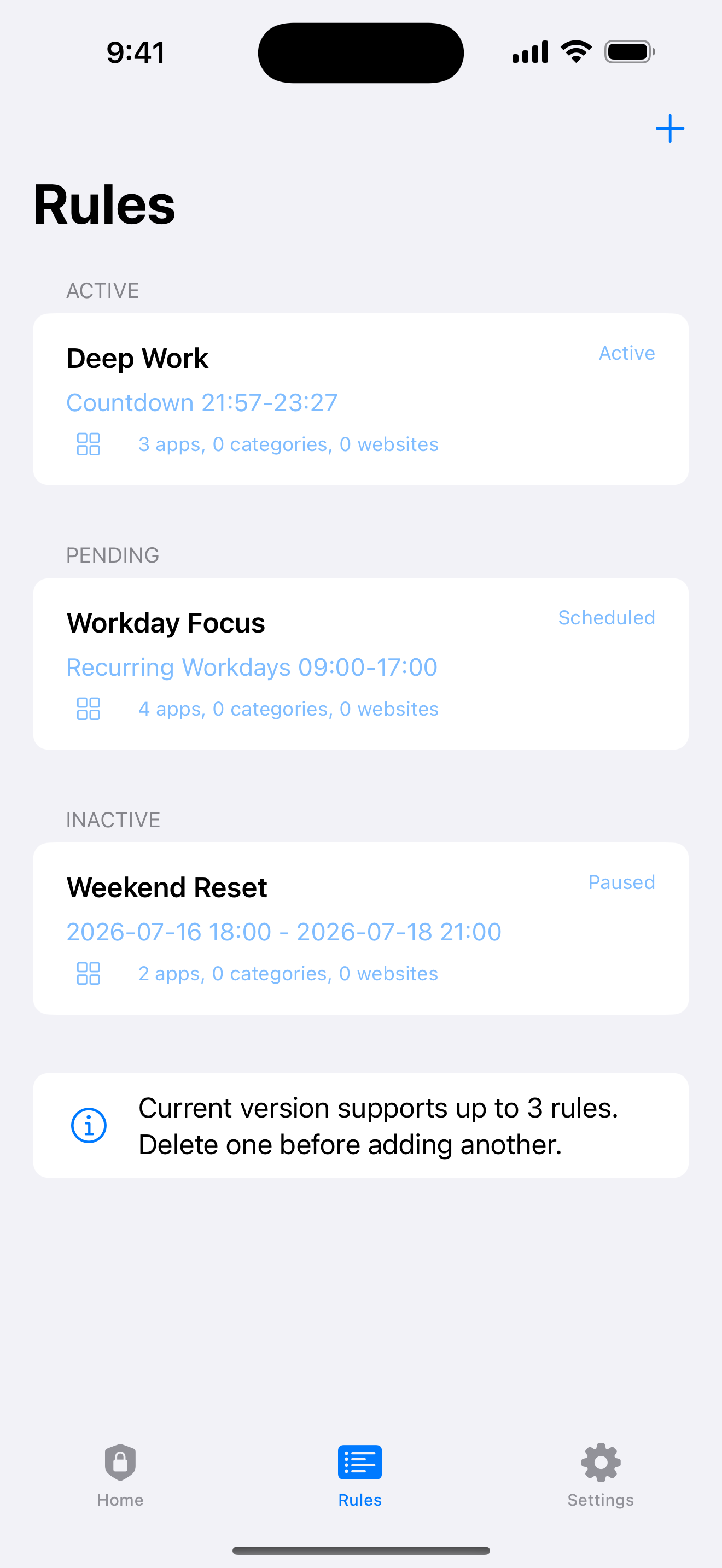
Set a duration and let the rule end on its own when the countdown reaches zero.
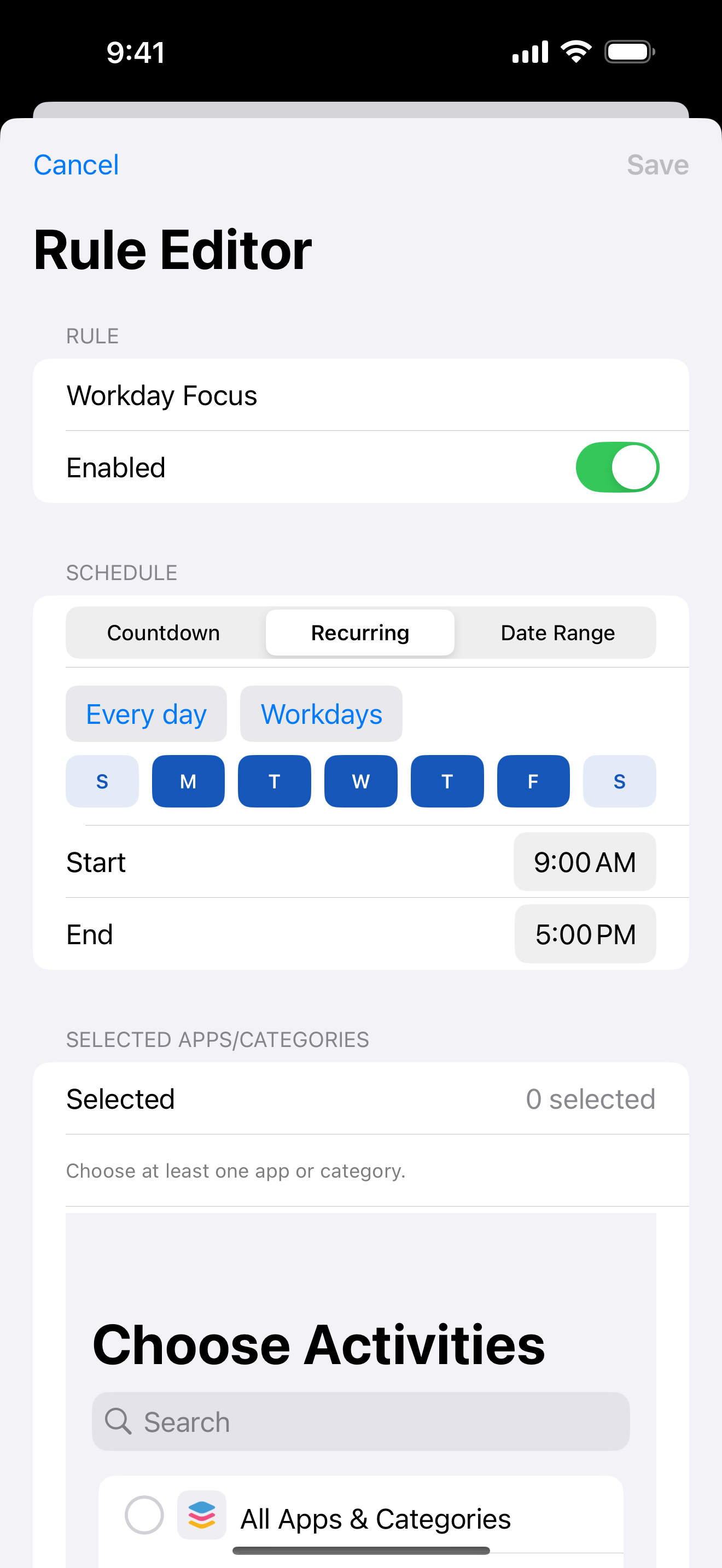
Create repeating windows for routines. A recurring window may cross midnight when your schedule runs late.
Choose a start and end date for a temporary stretch of app blocking without deleting the apps.
Privacy and protection
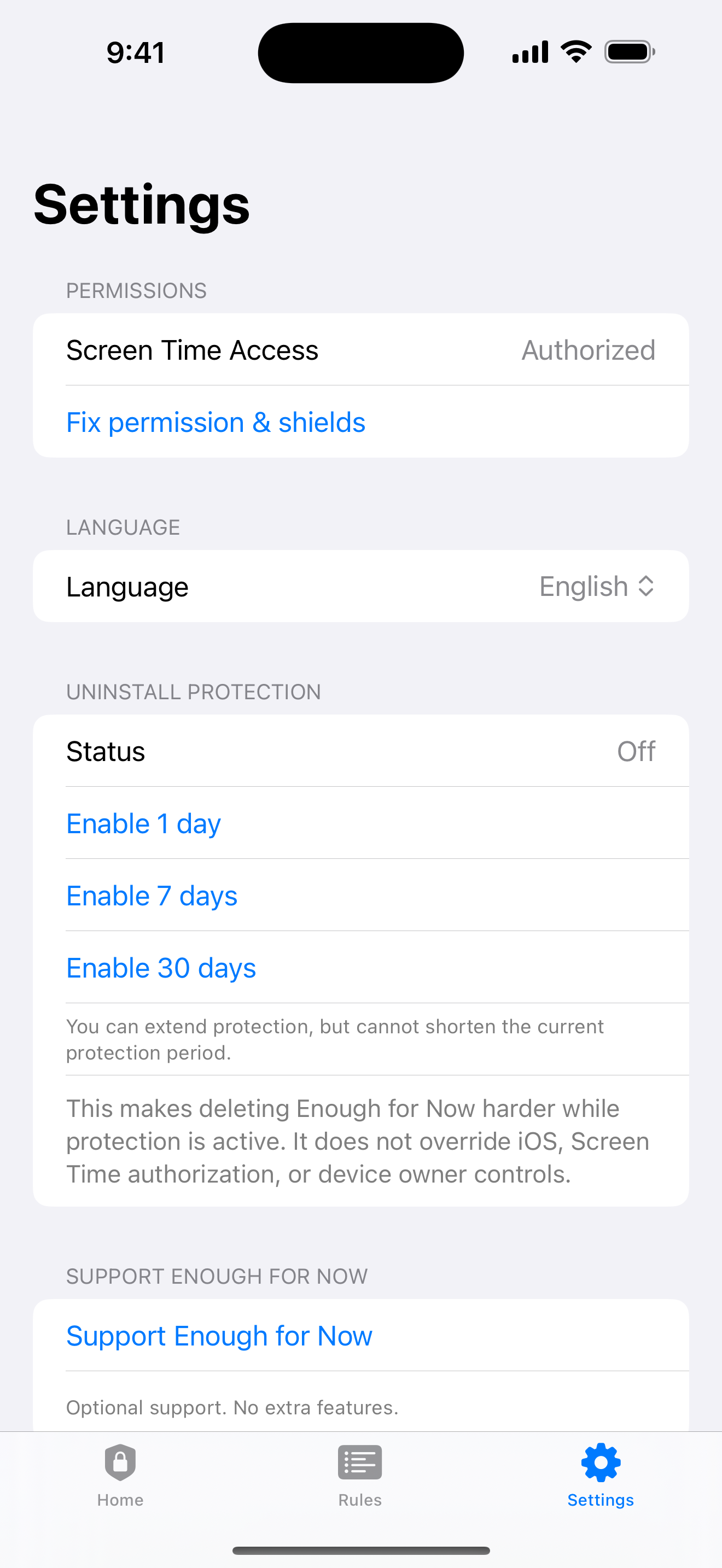
Rules are stored on your iPhone. Optional edit protection for eligible recurring rules can last 1, 7, or 30 days. Optional uninstall protection offers the same choices, but it cannot override iOS, revoked Screen Time permission, or device-owner controls.
No account. No backend. No ads. No third-party analytics. No data selling. If Screen Time permission is revoked, blocking stops.
Proof in the product
The interface keeps the schedule visible: active lock, rules, Countdown, Recurring, Date Range, and Settings.
Guides
Explore launch-related guides when you want the reasoning behind scheduled app blocking on iPhone.
FAQ
A small tool earns trust by naming what it can do and where iOS remains in control.
No account is needed. Enough for Now keeps its rules on your iPhone.
Blocking stops when Screen Time permission is revoked.
No. There is no subscription.
The current limit is three total rules.
Quick Lock starts a short pause now: 30 minutes, 1 hour, 2 hours, or Tomorrow AM. Scheduled rules use Countdown, Recurring, or Date Range for planned windows.
No. Enough for Now does not read your messages, browsing content, or location; it only uses the Screen Time controls needed for blocking.
Enough for Now is available on the App Store for iPhone running iOS 17 or later.
Available now
Download the iPhone app from Apple, then review the features, privacy boundaries, and support page. An optional Tip Jar supports development; Tips unlock nothing.
App Store
Scan with your iPhone to open the App Store listing.
 Open App Store link