ios-tools
What Data Can an iPhone App Blocker See? A Privacy Guide
Understand the difference between an app selection, a shield rule, and access to the private content inside an iPhone app.
Start with the authorization model
Apple's Family Controls framework gives an authorized utility a controlled way to ask you which apps or categories should be managed. The picker is a selection surface, not a window into the data inside every app. You approve the targets, and iOS mediates what the utility can do with that approval.
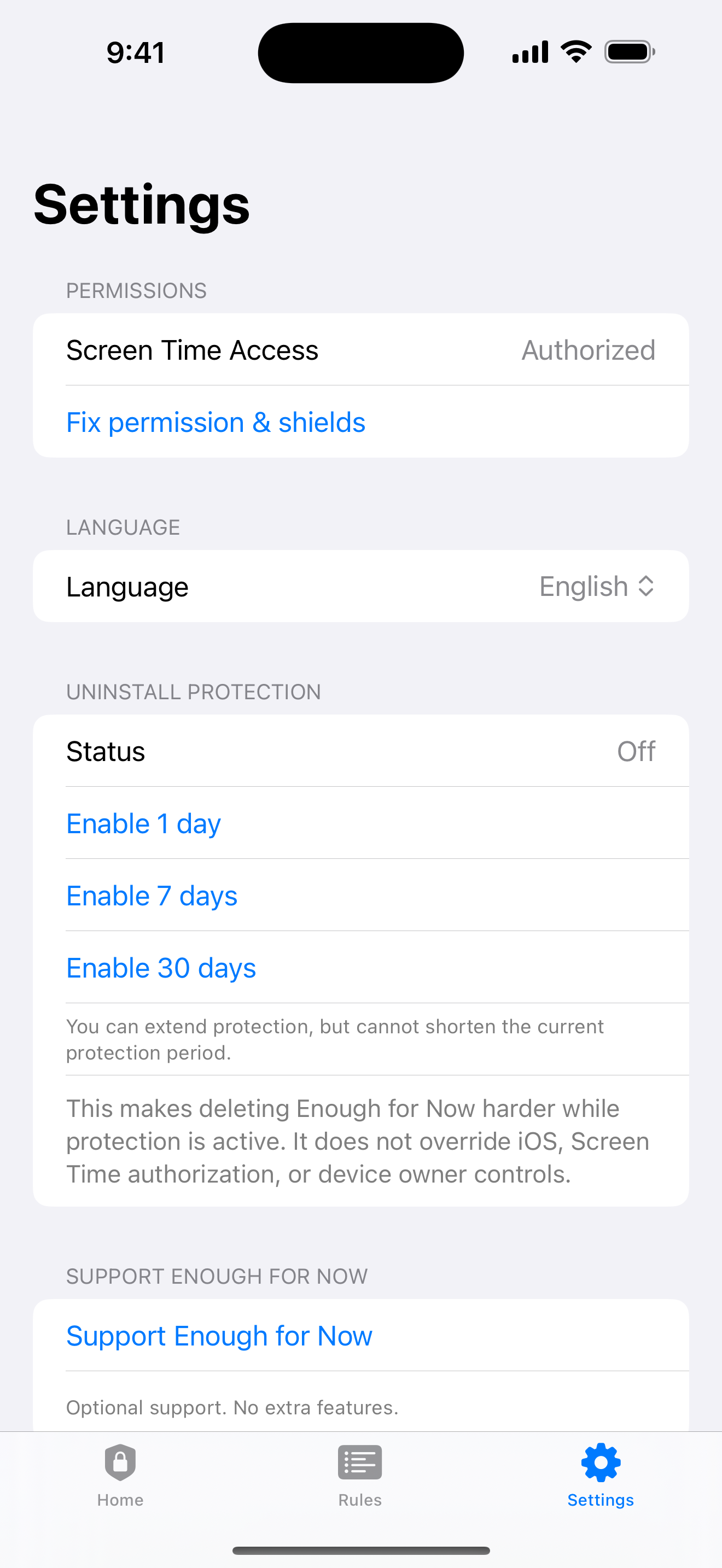
The exact permission matters because a saved rule without active authorization is only configuration. If you revoke Screen Time permission, blocking stops. That behavior is easier to understand when you separate the local rule record from the system authority that applies it.
Selections are not app content
A selected app name or category tells the blocker which target should receive a shield. It does not provide the text of messages, the pages in a browser, the photos in a library, or the location attached to a device. The distinction is important when a privacy notice uses the word app data broadly.
Review Apple's developer documentation and the app's own privacy details together. A picker selection, a rule token, and an active status are different pieces of state from the content a person creates inside the selected app.
Check local and transmitted data
Enough for Now keeps its rule configuration on the iPhone. The local state covers selections, rule timing, protection settings, and the status needed to show an active end. It does not need an account, backend, ads, third-party analytics, or data selling to manage that local workflow.
That boundary does not mean every iOS service is local in every situation. Read the platform permission screen, the product privacy page, and the App Privacy Details disclosure before installing any utility. Look for clear language about what leaves the device and why.
Read disclosures like a checklist
Ask four practical questions: what is selected, what is stored, what is transmitted, and what is never read? A trustworthy answer names the framework, the local rule state, the support channel, and the system limits. It should also explain what happens if permission is revoked or the device owner changes the setting.
Avoid treating a privacy label as a technical audit. Apple disclosures are useful, but they describe categories and practices at a product level. Compare them with the actual permission flow and support documentation before making a decision about trust.
- Selection: apps or categories approved in the protected picker.
- Local state: rule timing, selected targets, and active status.
- Content boundary: messages, browsing, photos, and location are not read.
- System boundary: iOS and device ownership can revoke or override access.
Enough for Now's boundary
Enough for Now is designed around local-first app blocking on iPhone. Its useful state is a small set of rule tokens, start and end times, selected targets, and protection status. The product does not need to inspect what happens inside the shielded apps to apply the boundary.
For support, launch notes, and current limits, use https://3061262040.github.io/enough-for-now-support/support/. The public product page also states the iOS, permission, and device-owner limits. Those details are more useful than a broad claim that an app can see nothing at all.
Enough for Now
Make distracting apps harder to open on your schedule.
Enough for Now keeps temporary and scheduled app-blocking rules on your iPhone. Quick Lock covers a short pause, while Countdown, Recurring, and Date Range handle defined windows without deleting the apps. Support and launch notes are included in the references below.
FAQ
Can an app blocker read my messages?
No. Enough for Now uses authorized app selections and Screen Time controls; it does not read message content.
Can it see my browsing or location?
No. The product boundary does not include browsing content or location. It manages selected app access through iOS.
Where are rules stored?
Enough for Now keeps its rule configuration on the iPhone, including selected targets, timing, and active status needed for the local workflow.
What does revoking permission do?
Blocking stops when Screen Time permission is revoked. Restore authorization in iOS before expecting a saved rule to apply.