photo-privacy
How to Prepare Marketplace Photos Without Exposing Private Details
Marketplace photos often start at home. Before posting them, remove visible clues and hidden file data that buyers do not need.
Listing photos can reveal more than the item
A marketplace listing is meant to show the product, not your home, routine, or device details. But photos are often taken in kitchens, garages, bedrooms, driveways, and workplaces. The image can reveal visible details, and the file can reveal hidden metadata.
Buyers need condition, scale, angles, flaws, and included accessories. They do not need GPS coordinates, house numbers, family photos in the background, paperwork, screens, license plates, or device metadata.
Prepare the image before the file
Start by staging the item in a neutral place. Clear mail, receipts, keys, work badges, paperwork, children's items, calendars, and screens from the frame. Watch reflections in glass, polished metal, appliances, and car windows.
Then check the file metadata before upload, especially if the photo was taken at home or near a regular pickup spot. If you need the original for your records, create a separate clean copy for the listing.
- Use a plain background with enough light to show condition honestly.
- Crop out home, address, document, child, workplace, and screen details.
- Check the file for GPS, capture time, device, and software metadata.
- Upload a clean copy rather than the original file.
Think like a buyer and a stranger
A good listing is transparent about the product and private about you. Show dents, labels, dimensions, serial numbers when appropriate, and the actual condition. Hide anything that helps a stranger map your home, schedule, family, or workplace.
If a platform compresses or rewrites images after upload, that still does not help with what you already uploaded. Prepare the copy before the listing goes live.
Use Exif Pic Gone before posting
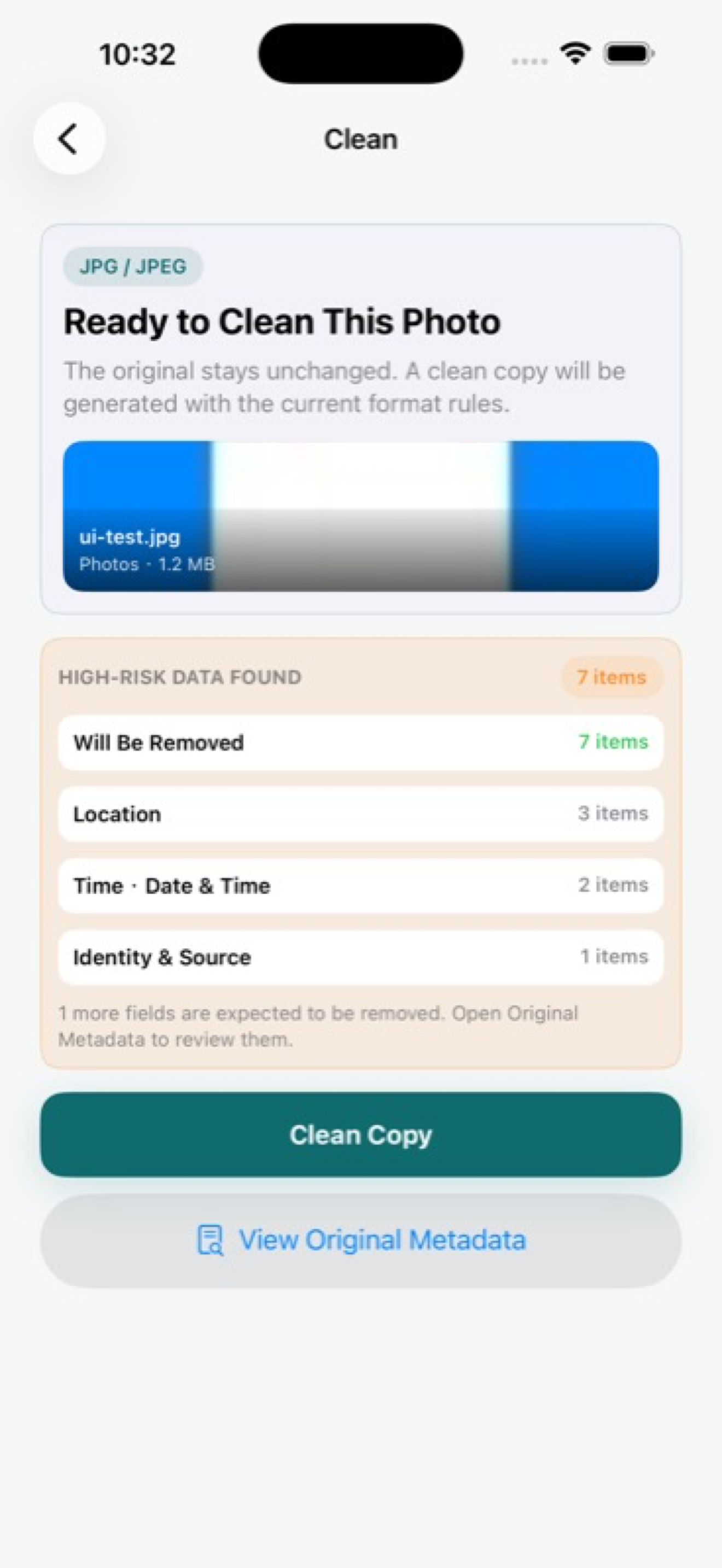
Exif Pic Gone is useful before marketplace uploads because it keeps the workflow on your iPhone. Inspect metadata, create a clean copy, and then use that copy in the marketplace app or website.
This does not replace good staging or visual judgment. It handles the hidden file side of the checklist.
Specific details sellers often miss
Marketplace sellers usually focus on price and product condition, but privacy leaks often sit around the item. A mirror can show a room. A car window can show a street. A shipping label can reveal a name or address. A receipt can reveal a store routine.
Metadata adds the hidden layer. If the photo was taken at home, GPS and time fields may add context that a buyer does not need.
- Photograph small items against a clean wall, table, or fabric background.
- Avoid pickup-location clues until you intentionally share them with a serious buyer.
- Check reflections in screens, glass, chrome, and glossy products.
- Use a clean copy for the listing and keep the original for your records.
Balance privacy with buyer trust
Do not hide the product's condition in the name of privacy. Clear photos, honest flaws, and useful angles help buyers trust the listing. The privacy work should remove personal context, not product evidence.
A strong listing shows the item well and keeps your private life out of frame and out of the file.
Exif Pic Gone
Inspect metadata, then share a clean copy.
Exif Pic Gone helps you inspect and remove photo metadata on your iPhone, create a clean copy, and share that copy without uploading the image to a web tool.
FAQ
Why do marketplace photos need metadata cleaning?
They are often taken in private locations. If GPS or other hidden fields remain, the listing can expose more than the item itself.
Should I remove the background too?
You should remove or avoid visible personal details. Metadata cleaning helps with hidden fields, but it cannot hide what the image visibly shows.
Is a screenshot safer than the original photo?
Not necessarily. Screenshots and exported images can still contain metadata or visible private details. Inspect the final file.
Can Exif Pic Gone send the cleaned copy to a marketplace app?
It can create a clean copy and use iOS save, export, or system share workflows, so you can move that copy into the listing process.
