photo-privacy
Why Clean Copies Are Safer Than Editing the Original Photo
Do not turn your only original into the sharing version. Keep the archive intact and send a prepared copy instead.
The original still has value
The original photo may contain information you need later: capture date, location, camera context, editing history, or proof of when and where the image was made. Removing metadata directly from that file can make your own archive less useful.
A separate clean copy avoids that tradeoff. The original remains your record. The clean copy is the version meant for public or low-trust sharing.
Clean copies reduce mix-ups
When privacy work happens in place, it can be hard to know whether the file in front of you is the original, an edited original, or the final share version. A clean-copy workflow gives you an intentional handoff point.
That clarity matters when you are sending client work, posting a listing, filing a story, submitting a portfolio, or moving images across multiple apps.
- Keep the original in your library or archive.
- Inspect metadata before cleaning.
- Create a separate cleaned image.
- Share the cleaned image and avoid sending the original by mistake.
Why this feels safer in everyday use
A clean copy is also easier to explain to yourself later. The file in your library is the original. The file you exported is the one intended to leave your phone. You do not have to remember which app changed which metadata field in place.
This is a practical privacy pattern, not a promise that every possible risk disappears. You still need to review the visible image and choose the right destination.
How Exif Pic Gone uses this model
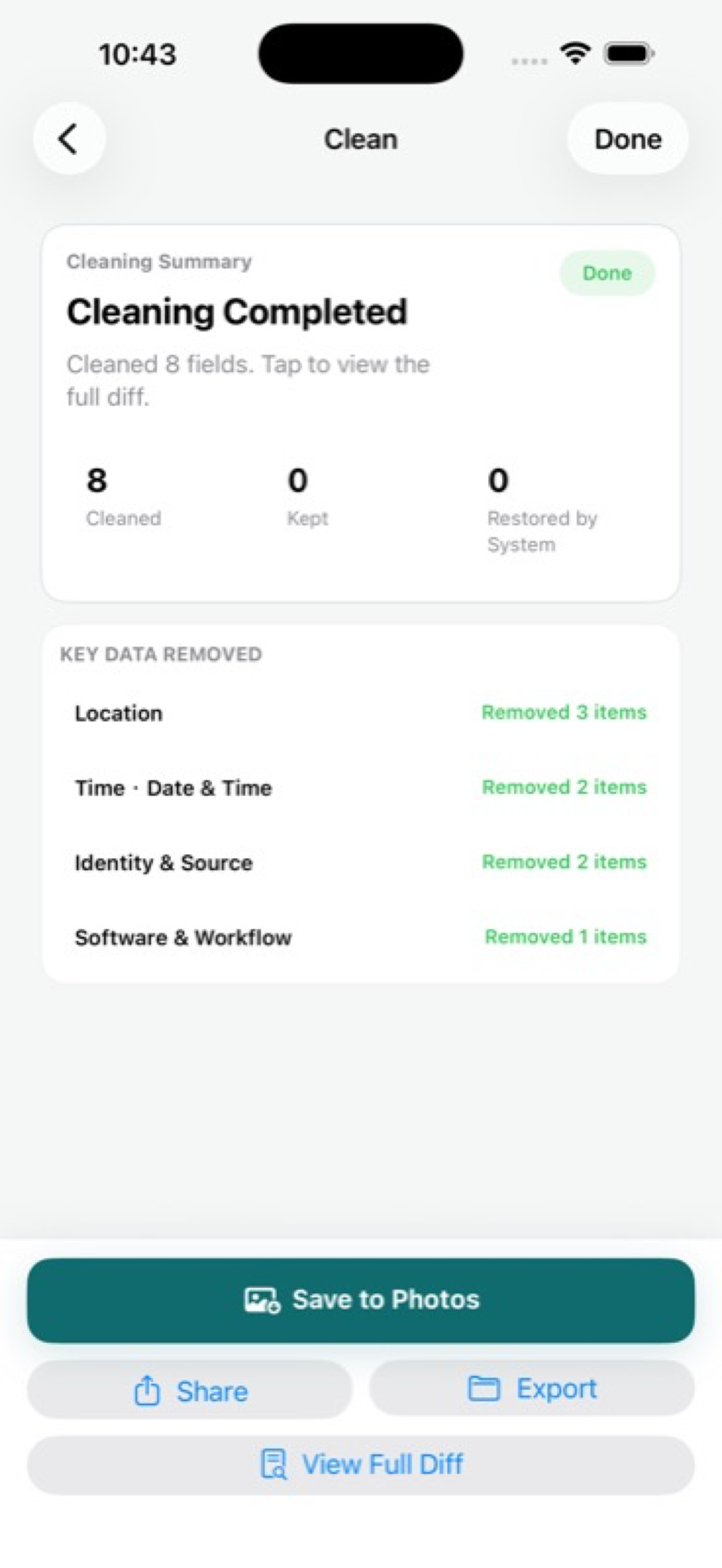
Exif Pic Gone creates clean copies instead of overwriting originals. That makes the workflow easier to reason about: import one supported image, review hidden fields, create a cleaned copy, then save, export, or share it.
The result is a share-ready file without giving up the private context that may still matter to you.
When overwriting creates problems
Overwriting sounds efficient until you need the original. A creator may need the capture date for a project archive. A seller may need the original listing photos for a dispute. A journalist may need source context for internal records. A family may simply want the original location preserved in their private library.
A clean copy avoids turning a privacy step into a record-keeping problem. The original can remain useful privately while the cleaned version is used externally.
How to keep copies straight
Use a consistent destination or naming habit for cleaned files. The exact system matters less than being able to answer one question quickly: which file is safe to send?
If you are preparing photos for a client, editor, or listing, do not mix originals and cleaned copies in the same handoff folder without clear labels. Most sharing mistakes are workflow mistakes, not technical failures.
Exif Pic Gone
Inspect metadata, then share a clean copy.
Exif Pic Gone helps you inspect and remove photo metadata on your iPhone, create a clean copy, and share that copy without uploading the image to a web tool.
FAQ
Why not just edit the original?
Editing the original can remove useful archive context and make it harder to recover the untouched file later. A clean copy keeps the sharing version separate.
Does a clean copy change what is visible?
The goal is metadata cleaning, not visual editing. You should still crop or blur visible sensitive details before creating or sharing the final copy.
Is the original overwritten in Exif Pic Gone?
No. Exif Pic Gone creates a separate clean copy and leaves the imported original available.
Who benefits most from clean copies?
Anyone who shares photos publicly, but especially sellers, freelancers, creators, journalists, and people sharing images from private spaces.
