photo-privacy
Can Social Media Remove Photo Metadata for You?
A platform might strip metadata after upload. Your privacy habit should start before the original file leaves your phone.
Platform behavior is not a privacy plan
Many social platforms process images after upload. They may resize, recompress, rewrite, or remove some metadata. The problem is that this behavior can vary by platform, file type, upload path, region, account setting, and time.
If the photo matters, handle metadata before upload. That way your privacy workflow is not dependent on a platform rule you cannot inspect from the outside.
Why cleaning first is still useful
Cleaning before upload gives you a known starting point. It also helps when you share the same image outside social media, such as through email, messaging, a website, marketplace, cloud folder, or client delivery.
It is especially important when the photo was taken at home, around children, near a workplace, at a private event, or as part of sensitive reporting or client work.
- Do not assume every platform handles metadata the same way.
- Create a clean copy before upload when the image is public or sensitive.
- Keep the original for your private archive.
- Check visible details too; platforms cannot protect what the picture visibly shows.
A safer upload habit
Before posting, inspect the image and metadata on your device. Create a clean copy, then upload that copy to the platform. If you also need to send the image elsewhere, use the same clean copy instead of returning to the original.
This keeps your process consistent across Instagram-style posts, marketplace listings, email attachments, website uploads, and one-off messages.
Use Exif Pic Gone before the upload
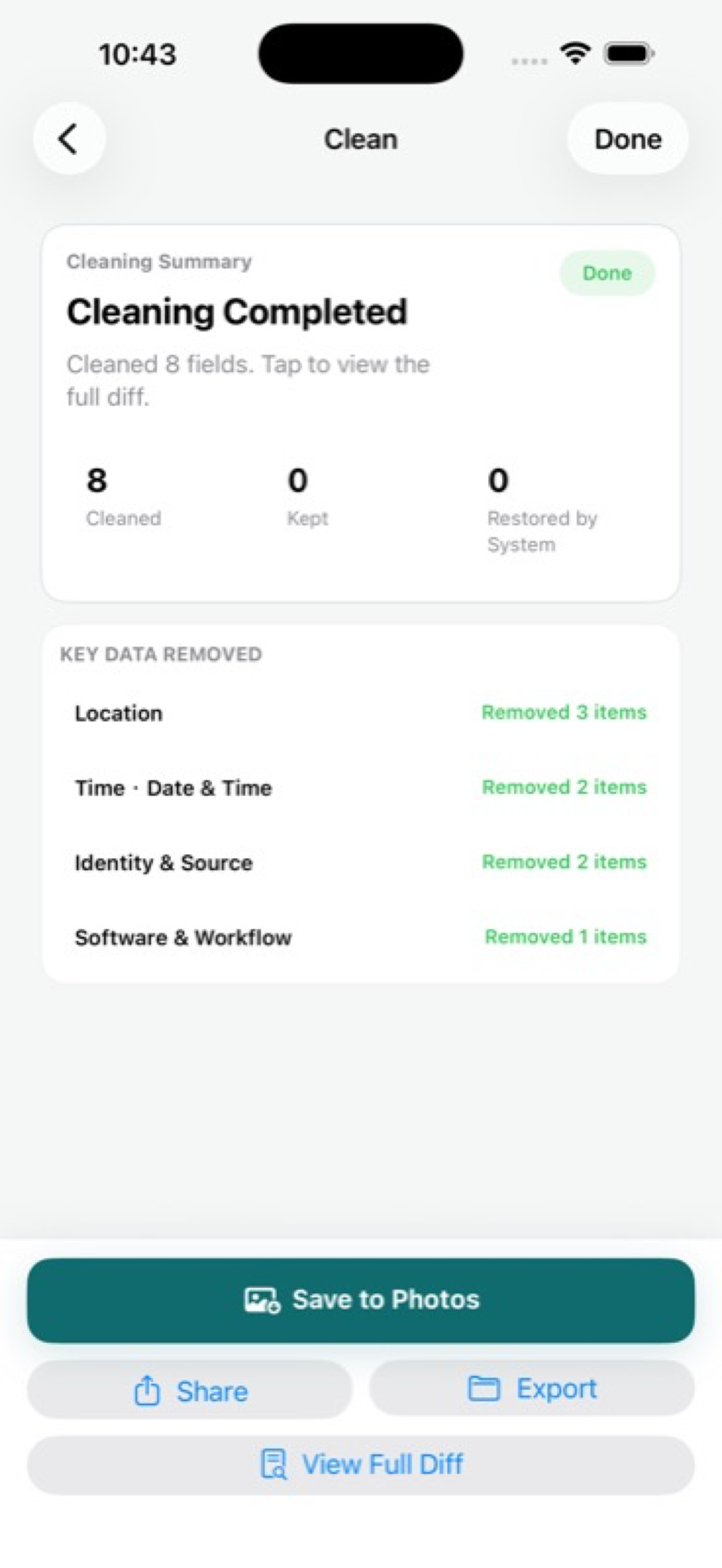
Exif Pic Gone supports this habit for iPhone users by cleaning supported image metadata locally and giving you save, export, and share options.
It does not control what a platform does after upload. It gives you a cleaner file before the platform ever sees it.
Why platform stripping is hard to verify
A platform may treat images differently depending on whether you upload through the app, mobile web, desktop web, direct message, story, post, marketplace, or ad tool. It may also change behavior without making that change obvious to users.
That uncertainty is why cleaning first is the better habit for sensitive files. You do not need to prove what every platform does if you start with a copy that already removes the metadata you do not want to share.
Use one clean copy across channels
Many people post the same photo in more than one place: social media, email, a website, a marketplace listing, or a client thread. Cleaning once gives you a prepared version that can move across those channels more consistently.
If you later edit or re-export the image, inspect the new final file again. The privacy decision follows the file, not the original intention.
Exif Pic Gone
Inspect metadata, then share a clean copy.
Exif Pic Gone helps you inspect and remove photo metadata on your iPhone, create a clean copy, and share that copy without uploading the image to a web tool.
FAQ
Do social networks remove EXIF data?
Some platforms may remove or rewrite some metadata during processing, but behavior can vary and change. Treat that as a bonus, not a workflow.
Why clean a photo if the platform might strip metadata anyway?
Cleaning first gives you control before upload and helps when you share the same image through other channels that may preserve metadata.
Can platforms remove visible private details?
No. If an address, face, reflection, receipt, or screen is visible in the image, metadata removal will not hide it.
What should I do before posting sensitive photos?
Review visible content, inspect metadata, create a clean copy, and upload the clean copy rather than the original.
